
TeelPay app
TeelPay App

Buy airtime in a few tapswith the TeelPay app.

Top up your own number or any other number straight from your phone, with instant processing.

Get it onGoogle Play

Before you start.

Airtime purchases in the app are available once you have registered and completed your profile.

Download the app

Get the TeelPay app from the Google Play Store and install it on your phone.

Register an account

Create your TeelPay account with your details.

Complete your profile

Fill in your user profile, including your payer number, before you buy airtime.

How to buy airtime from the app.

Five simple steps from opening the app to an instant top-up.
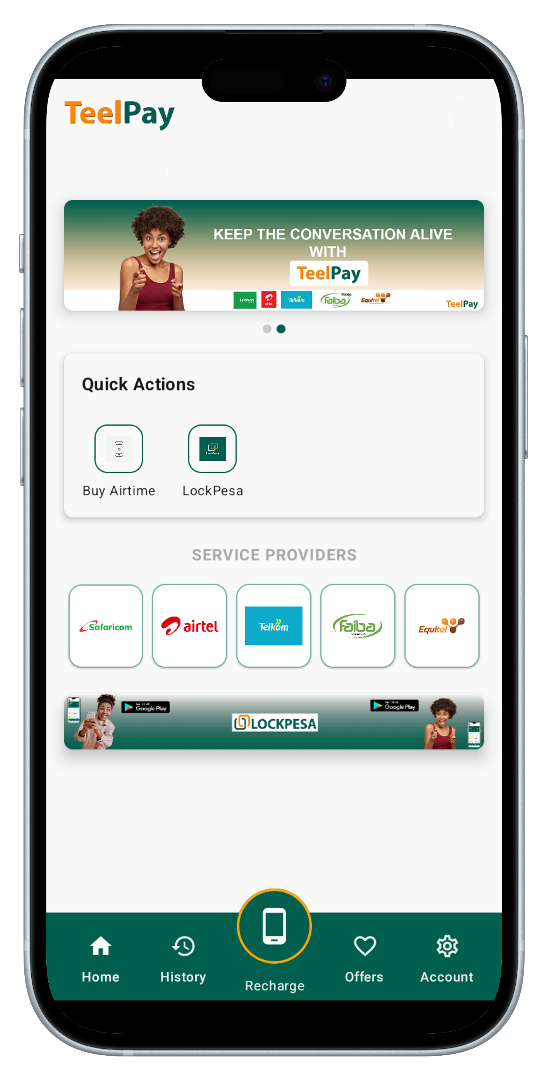
How to buy airtime in the TeelPay app
  1. Open the appLaunch the TeelPay app on your phone and sign in.
  2. Tap RechargeSelect the Recharge button on the app home screen.
  3. Choose who to top upIndicate Self to buy airtime for your own number, or choose Other to buy airtime for another number.
  4. Enter the amountType in the amount of airtime you want to buy.
  5. Tap Buy AirtimePress the Buy Airtime button. Your request is processed and the top-up is instant.

Don't have the app yet?

Get it onGoogle Play